Startup and operation
Startup
Danger
Uncontrolled system movement
When starting up, if the network module is part of a closed loop system whose parameters have not yet been set, the system may perform uncontrolled movements. This could result in personal injury and equipment damage.
Persons must keep away from the system’s hazardous zones.
Startup must be performed only by trained technical personnel.
Observe the safety instructions of the equipment or system manufacturer.
Check connections for tightness and correct polarity. Replace damaged connections.
Turn on the system.
Note
Check for the correct values, especially after replacing the BNI or after repair by the manufacturer.
Autodetect Mode
Note
Default in Fieldbus protocol: Autodetect.
Search fieldbus
As soon as the network module is initialized, it starts in autodetect mode and searches for the connected fieldbus system.
The outer port/pin LEDs light up in sequence.
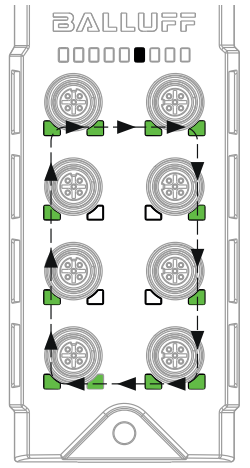
Fieldbus system detected
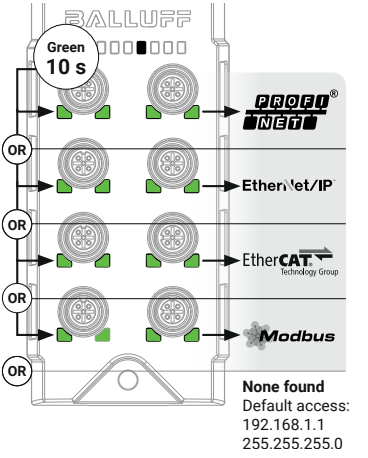
If the fieldbus system is detected, the port/pin LEDs in a row light up green for 10 seconds. If no field bus is detected, the default address is used.
Row |
Port/Pin-LEDs of the Ports |
Meaning |
|---|---|---|
1 |
1/2 |
Profinet |
2 |
3/4 |
Ethernet/IP |
3 |
5/6 |
EtherCAT |
4 |
7/8 |
Modbus TCP |
Note
For additional information, see Configuration guide at www.balluff.de on the product page.
Recovery Mode
In certain situations, standard configuration methods (e.g., WebUI, BET) may be inaccessible due to the following reasons:
The device is locked because the password has been forgotten.
The EtherCAT protocol has been selected on a device without a display, and the device must be reverted to standard Ethernet operation.
The IP configuration has been lost or is unknown and must be restored to default settings.
In such cases, performing a factory reset is required. As the device is not equipped with a physical push button, the procedures described below must be followed to restore the factory settings.
Step 1. Device is powered with 6V +/-0,5V at startup for about 30s
Step 2. Recovery Mode is indicated by a left-to-right running light sequence on the port LEDs, which are illuminated in red.
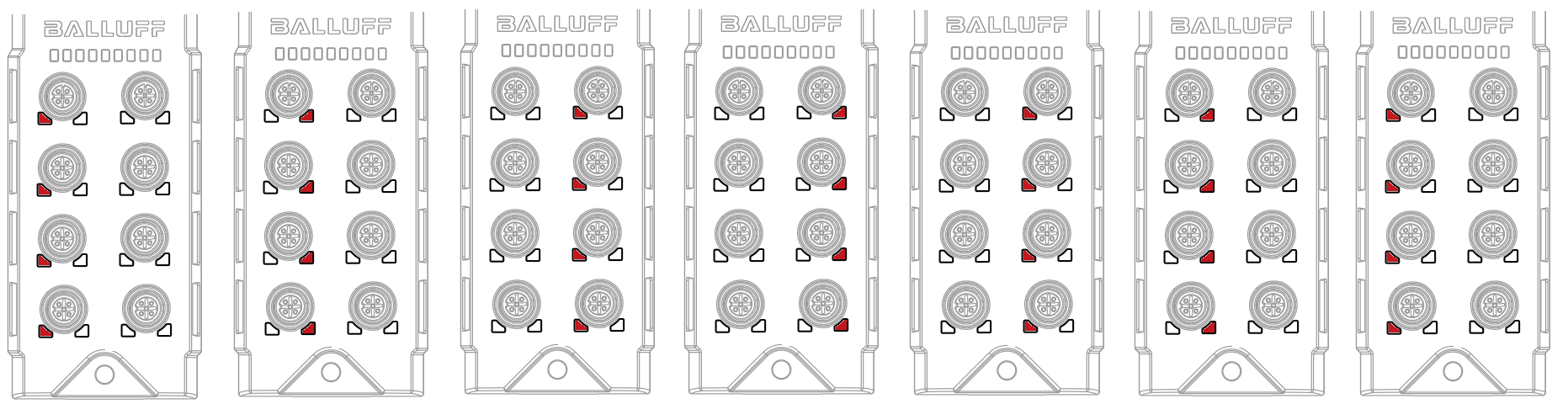
Step 3. Device is available at fixed IP Settings
IP: 192.168.1.1
SubNetMask: 255.255.255.0
and the Webserver provides exactly one page showing the factory reset option. Open a web-browser and type 192.168.1.1
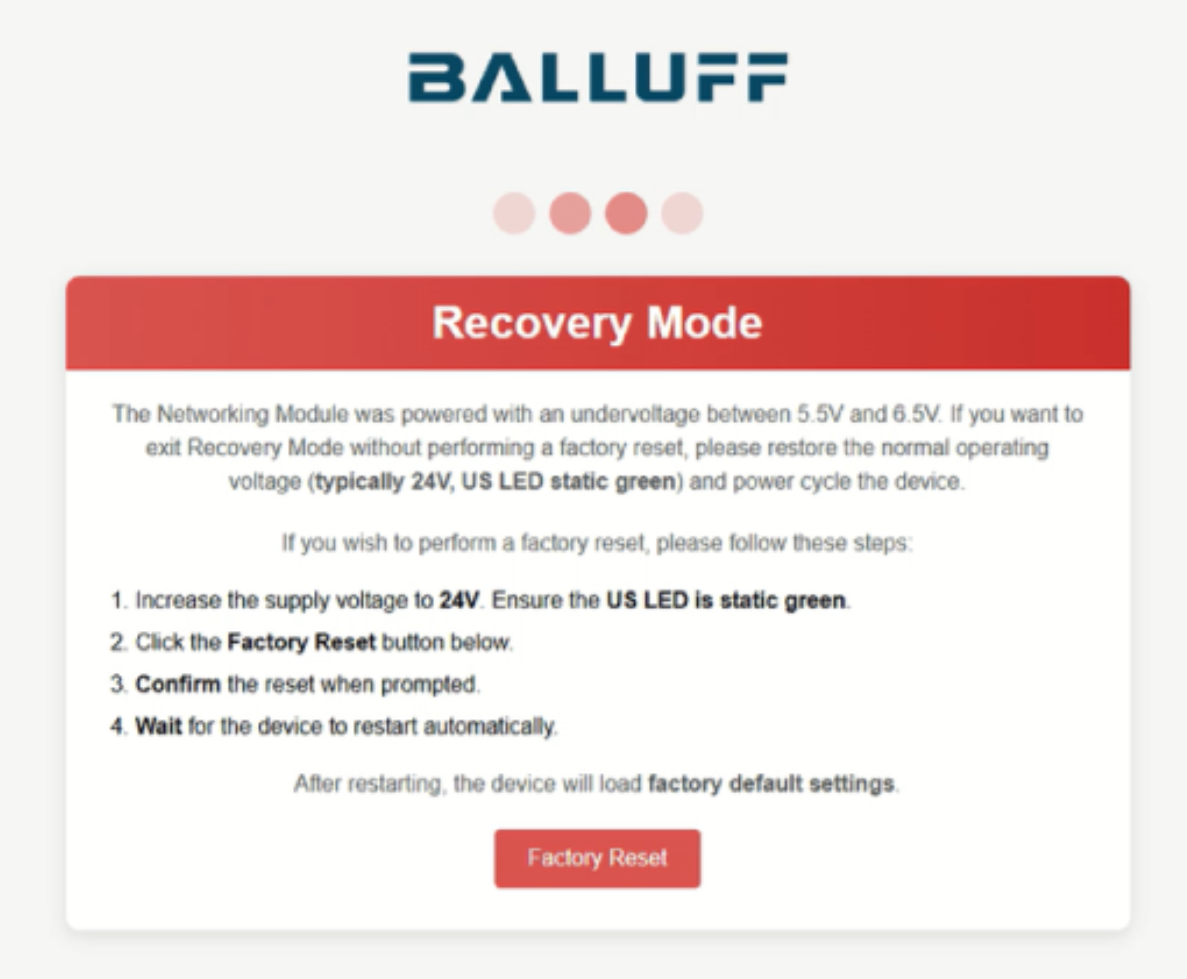
Although Web UI text advises to use an adjustable power supply, a fixed 6 Volt and another power supply with 24 Volt are also viable way: “1. Increase the supply voltage…” is not required, just skip it and jump next step.
Step 4. Clicking on Factory Reset will open a dialog if a factory reset is really requested
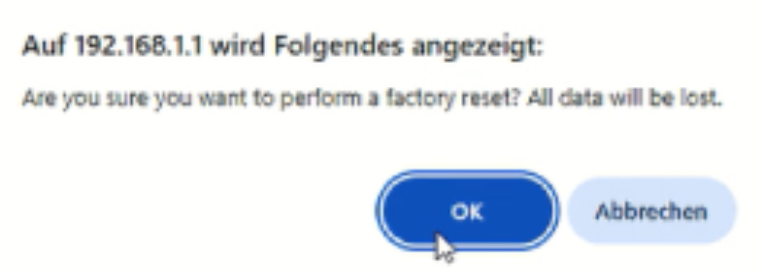
Step 5. After acknowledge, factory reset is executed and the device executes a reboot.
Caution
All data will be lost
All settings and configurations will be set to its factory default values.
Step 6. After the reboot the device can be powered again with nominal voltage (24 Volt) and restarted by a power cycle.
Step 7. Device is now operating with IP address 192.168.1.1 with autodetect mode.
Operation
Caution
Danger of burns from hot surfaces
The housing heats up under normal operating conditions.
There is a risk of burn injuries.
Avoid direct skin contact with the surface.
Operating notes
Regularly check function of the BNI and all associated components.
Take the BNI IO-Link master out of service whenever there is a malfunction.
Secure the system against unauthorized use.
Check fasteners and retighten if needed.
Cleaning
Note
For UL requirements, UL Requirements.
The product may only be cleaned when switched off.
Note
Only for BNI XG5-508-0B5-P067:
The product can be cleaned in a washdown process and is resistant to numerous alkaline, neutral and acidic cleaning media based on peroxyacids and amines with and without chlorine for the food and beverage industry.
For further information, see ECOLAB certificate at www.balluff.com on the product page.
Maintenance
The product is maintenance-free.
Depending on the operating conditions, it may be necessary to regularly check and, if necessary, retighten the tightening torques of the plugs and caps to maintain the protection classes (see Electrical connection).