Product description
Overview
The NFC Toolbox application simplifies the configuration of Balluff NFC-ready devices. Using your mobile device, you can read device parameters, adjust network and fieldbus settings, and write configurations back to the hardware—all without cables or additional setup tools.
This mobile-first approach is ideal for technicians who need to:
Configure devices in the field — Set up network parameters and fieldbus types on-site
Replace devices quickly — Clone parameters from an existing device to a new one
Troubleshoot efficiently — Read device settings to verify configuration or restore factory defaults
The NFC Toolbox works on both iOS and Android devices and requires only NFC capability on both your mobile device and the target Balluff device.
Supported tasks
In the current version (1.0.7.1033), you can perform the following operations:
Read device parameters
Access all current settings stored on an NFC device
View device information (product name, serial number, firmware version)
Verify fieldbus and network configuration
Configure network settings
Fieldbus type: Autodetect, EtherCAT, Ethernet/IP, Profinet, Modbus/TCP, IOT, EtherCAT FHC
IP address
Subnet mask
Default gateway
Clone device parameters
Copy all settings from one device to another
Useful for device replacement or mass deployment
Restore factory settings
Perform a factory reset to restore a device to its default configuration
App overview
Main screen
When you open the NFC Toolbox application, you see the home screen. This is your starting point for all device operations. The home screen displays key action buttons and provides access to additional information through the menu.
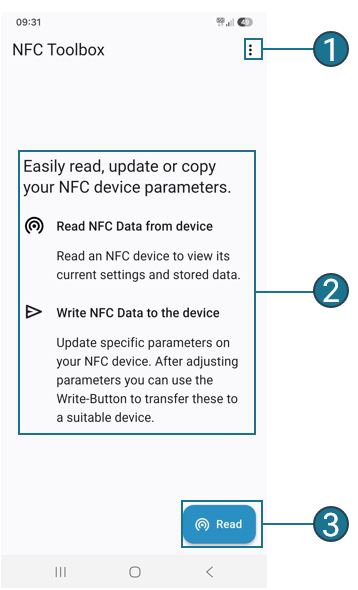
Number |
Description |
|---|---|
1 |
Drop-down menu icon — select to access additional information and settings |
2 |
Button descriptions and icons that appear across different screens in the application |
3 |
Read button — reads all parameters currently stored on the device and displays them in a new window |
Access the menu
Select the menu icon (
 ) at the top of the screen.
The menu displays the following options:
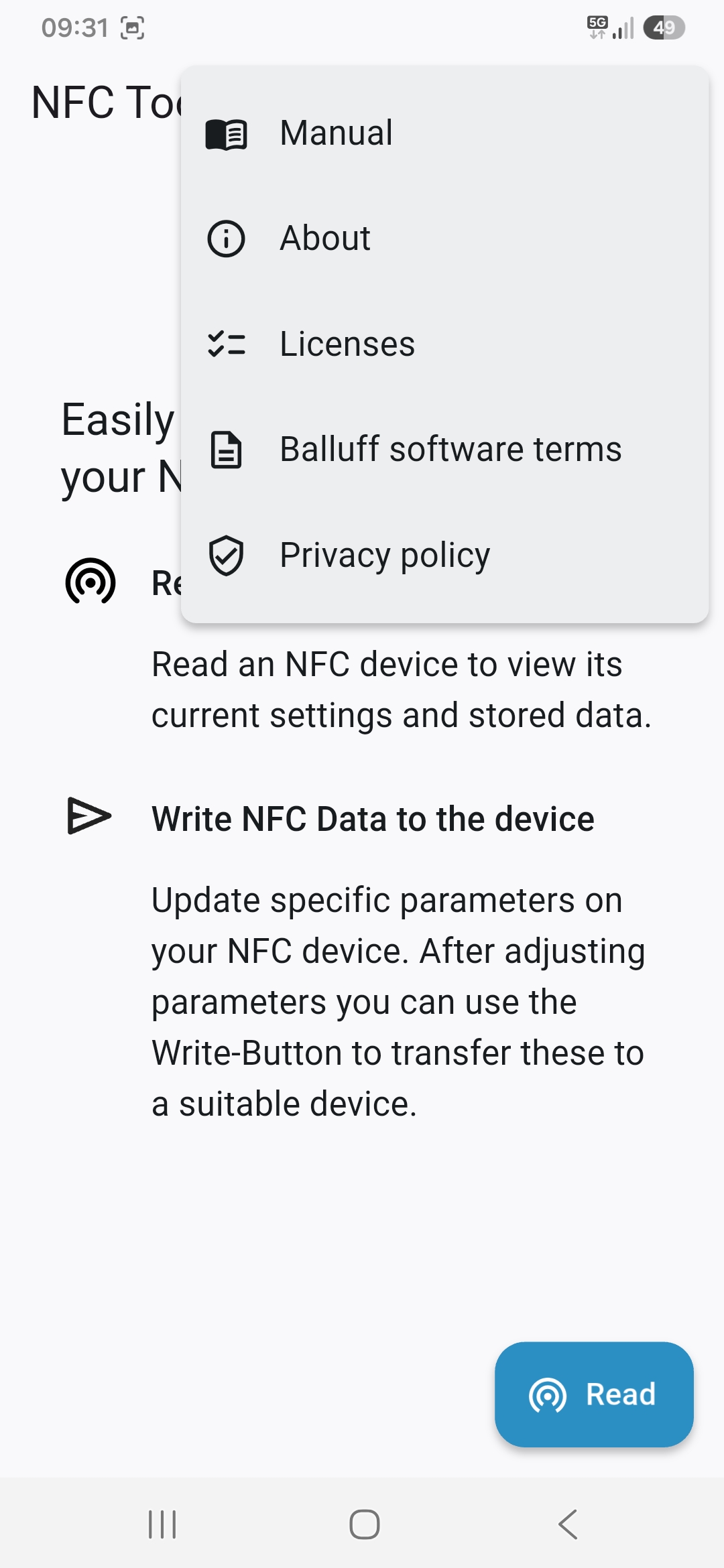
Select any menu item to view additional information.
Menu options:
Manual: Opens this application manual on docs.balluff.com
About: View the software version, build number, and contact information
Licenses: Review the open-source licenses used in this application
Balluff software terms: Read the terms and conditions for using this software
Privacy policy: Review the privacy statement applicable to this application