Software Functions and Setup
Segment indicator
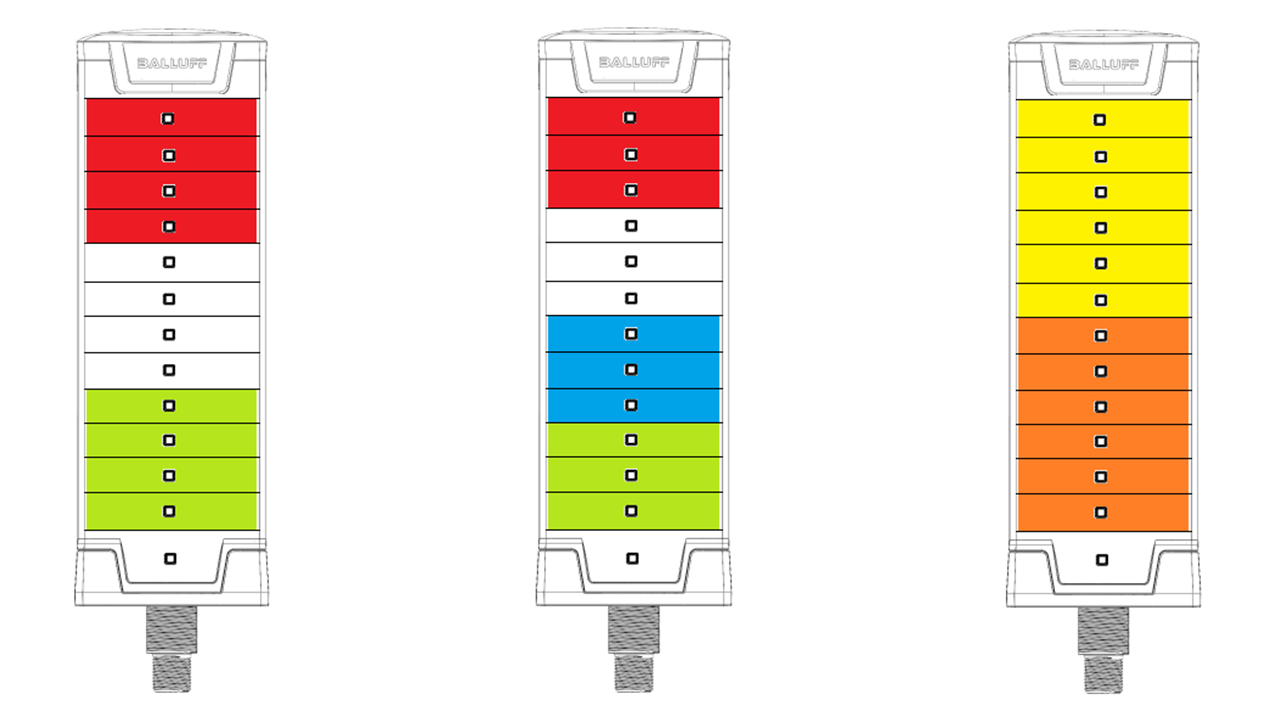
The module is used as a simple status indicator when segment mode is selected.The main LEDs are divided into segments. The number of the segments are configurable. The LEDs are distributed evenly by default among the segments, but the user has the flexibility to overwrite the default configuration, resulting different size for each segments. Each segment can have up to two colors (Color A, Color B) and an animation pattern. E.g.: if the color A is set to green, color B is to red and animation is set to blinking –> Segment will blink between green and red. If color B is off, keeping all the previous settings by the others –> Segment will blink with a single green color.
Device Variant |
Possible number of segments |
|---|---|
BNI IOL-810-205-K03x |
1, 2, 4 |
BNI IOL-811-205-K03x |
1, 2, 3, 4 |
BNI IOL-812-205-K03x |
1, 2, 3, 4, 5, 6 |
Note
The segments are always counted from the connector side. The orange is the segment 1 and the yellow is the segment 2 on the last example.
Level indicator
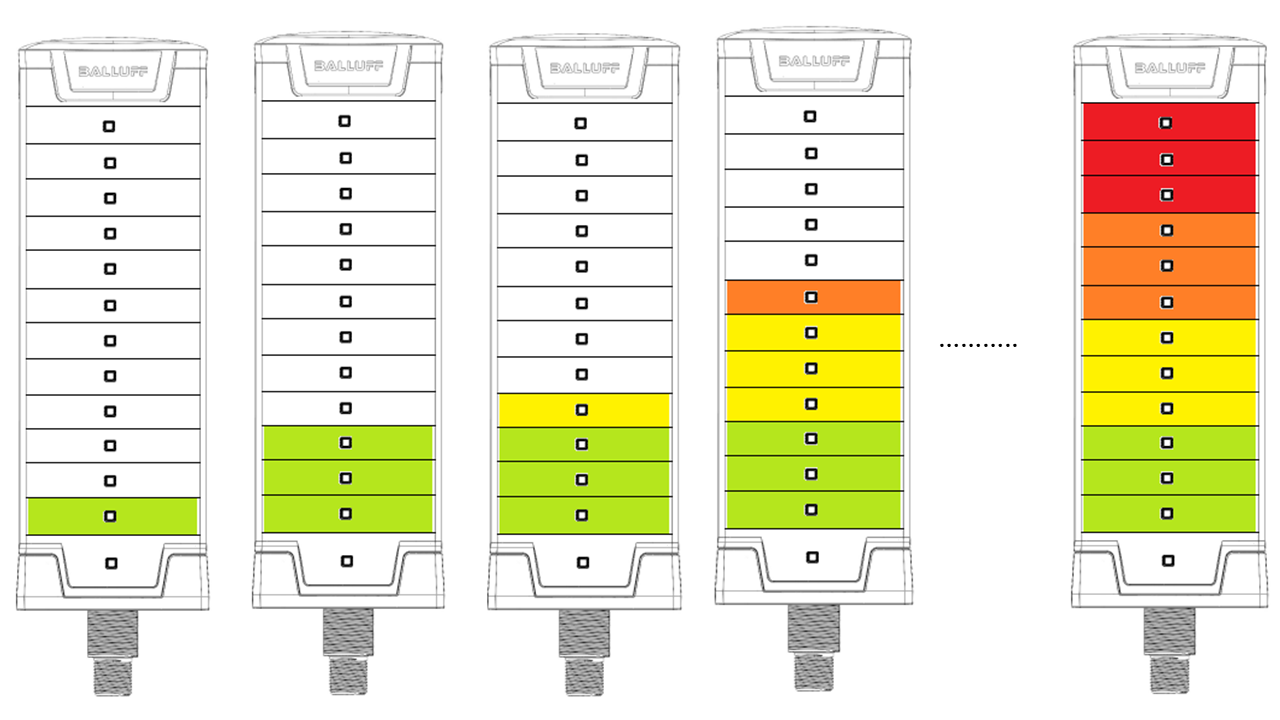
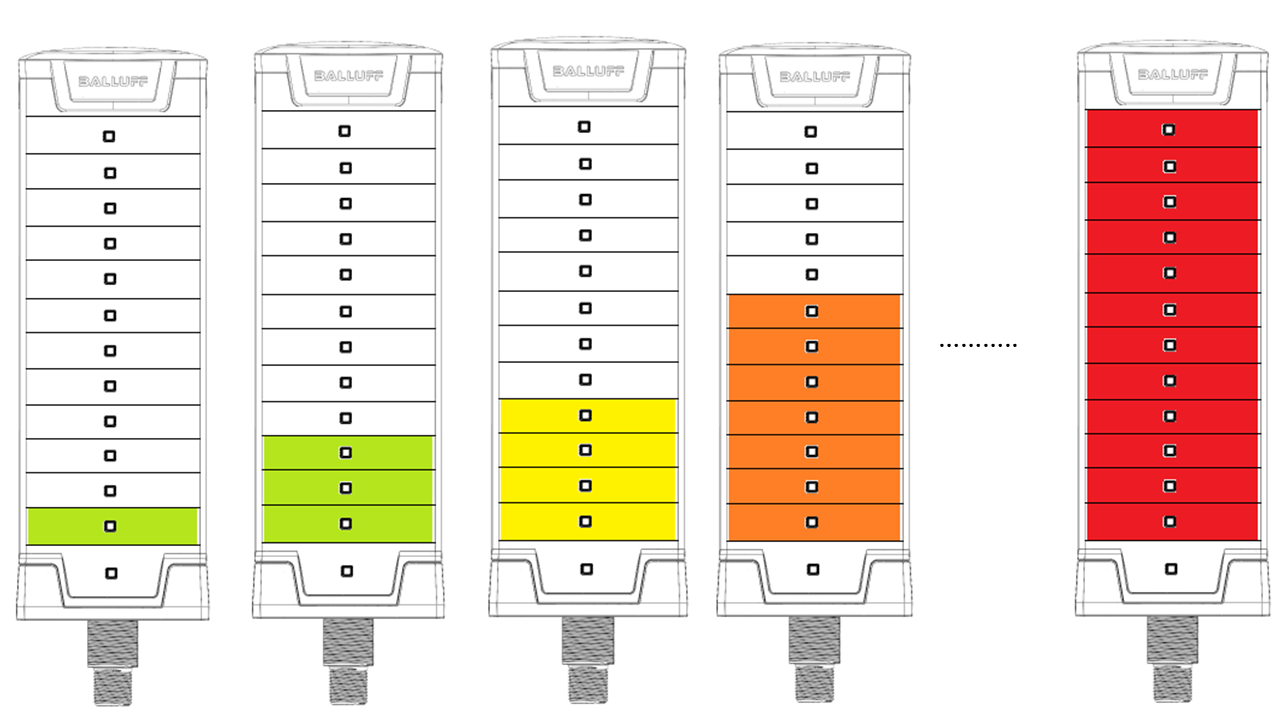
Level mode can be used to realize an analog output by means of a stacklight. In this case a level value can be displayed. The higher value the module becomes, the more LEDs will be switched on. This mode can be used as a level indicator, for example to indicate a fluid level in a tank. The number of the LEDs switched on depends on the input level.
The level display can be selected to be bottom-up or top-down. In the bottom-up mode the level indicator increases from the bottom of the module. In the top-down mode the indicator increases from the top of the module.
Although there are no real segments in the level mode, because the LEDs are controlled by the input level, the LEDs are divided into virtual segments These virtual segments can have their own color. The color of these segments can be configured. So it can be realized, that the level meter can have more colors (up to the maximum number of the segments).
Some or all colors can be set as dominant color. This means, when the input level is high enough to switch on the next LED and this LED is in another virtual segment, the LEDs, which are under the actual LED, take over the color of the actual LED. In this case, as the input level increases, the color of the full LED bar can be changed.
Runlight indicator
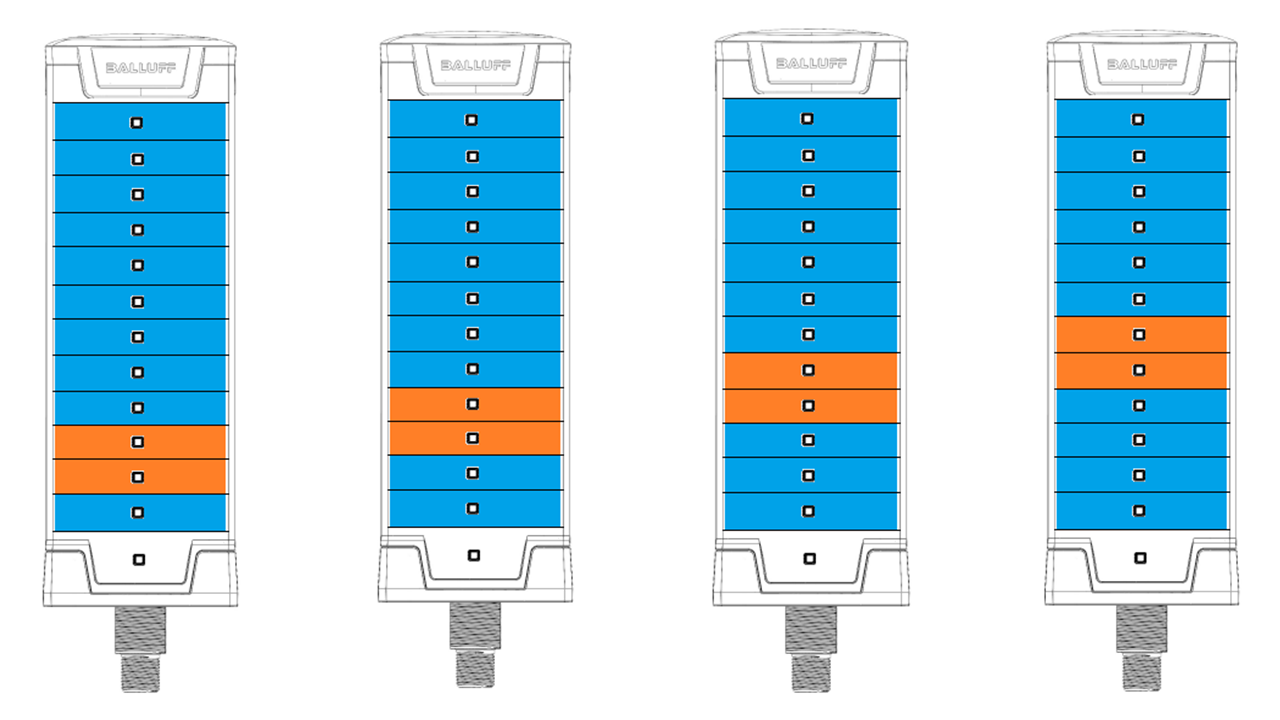
In the runlight mode, the complete module displays a running light effect. In this case all of the LEDs are working as one runlight effect. The color, speed and size of the running segment and the background color can be configured.
Flexible mode
Each LED level can be configured individually in the flexible mode. It has the flexibility to have different colors for each LED level, but there is no animations implemented for this mode. Each LED level can be activated/deactivated separately. The active color and inactive color is configurable.
Note
The LED levels are always counted from the connector side. When the SmartLight is mounted vertically and the connector is downside. The first LED level will be the lowest.
Ultimate mode
The Ultimate mode is similar to the flexible mode. It is a mixture of a segment mode and the flexible mode. The customer will have the flexibility to configure each LED level as needed, but animations are also available, to have as many signalizations as possible.
Animation patterns
There are many type of animation patterns which can be used for segment mode, ultimate mode and also for the strobe light functionality. Not every pattern will be available for all of these modes.
Blinking
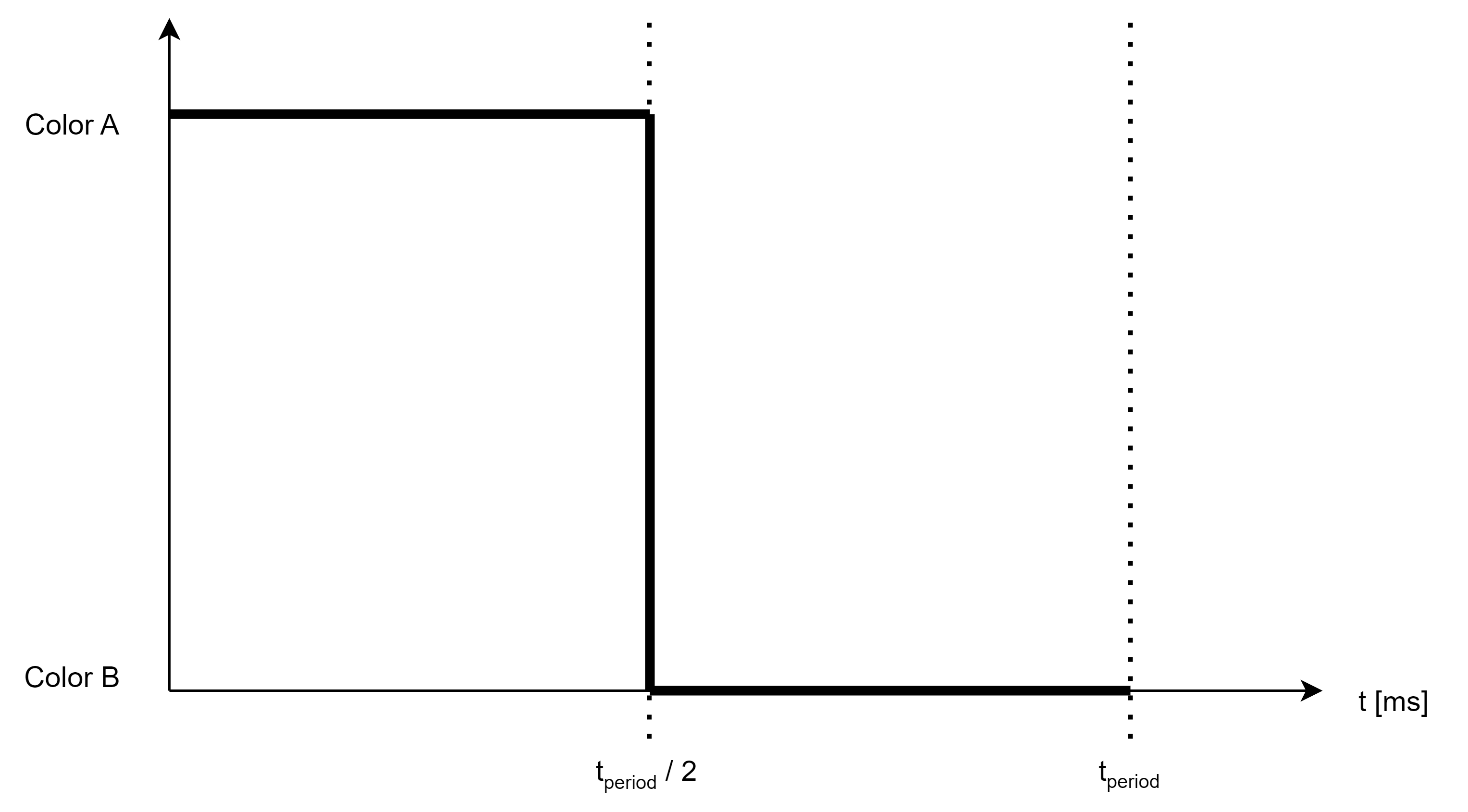
The blink animation pattern is a standard blinking with 50% duty cycle.
Dynamic blink
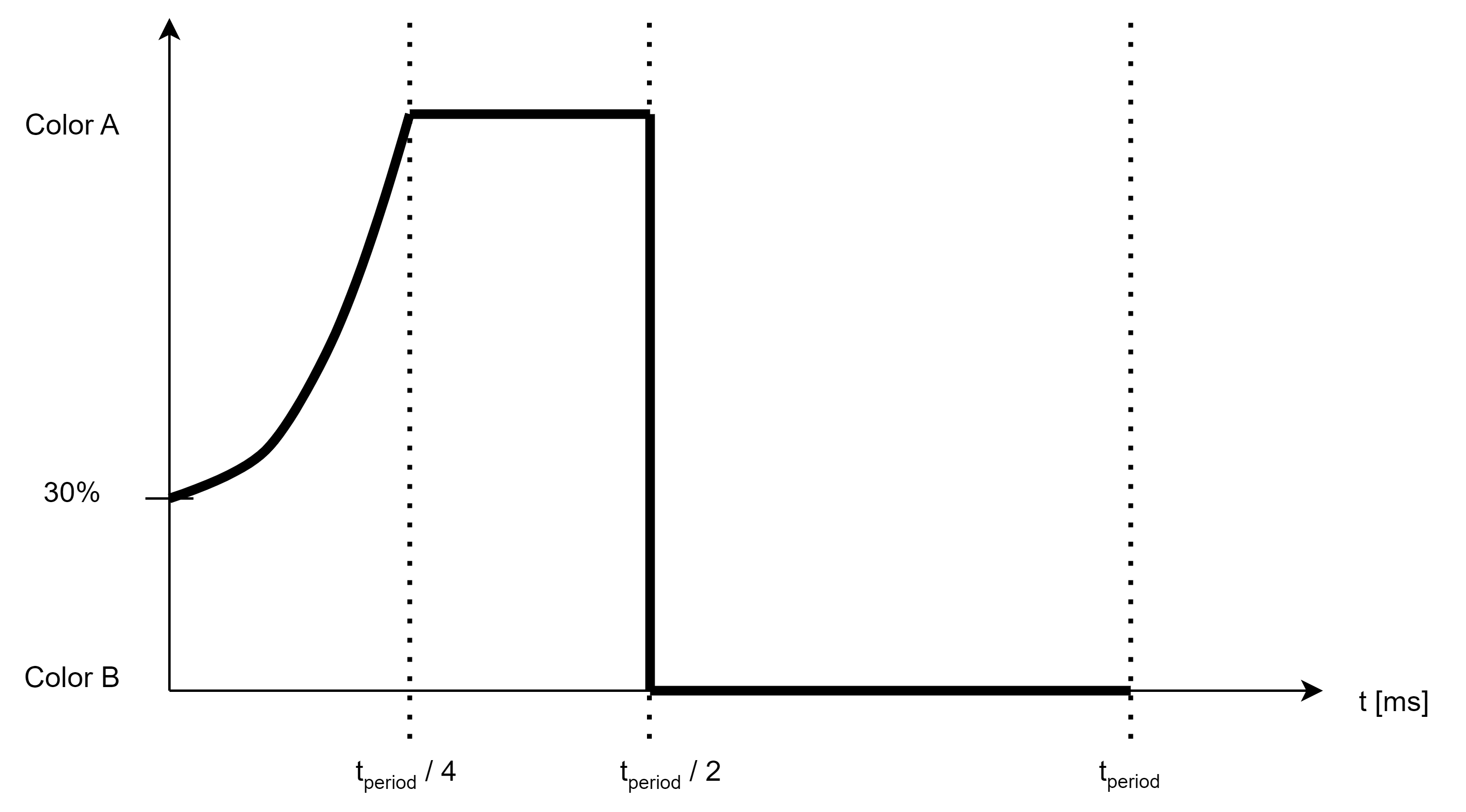
The dynamic blink animation pattern is similar to the standard blink pattern, but it has smoother transition switching from Color A to Color B. Although this pattern can be used for two colors, as all of the other patterns, the intended use of this animation pattern is to have Color B switched off. In this case, the blinking will be a single On - Off blinking, but with a smooth switch on effect.
Single strobe
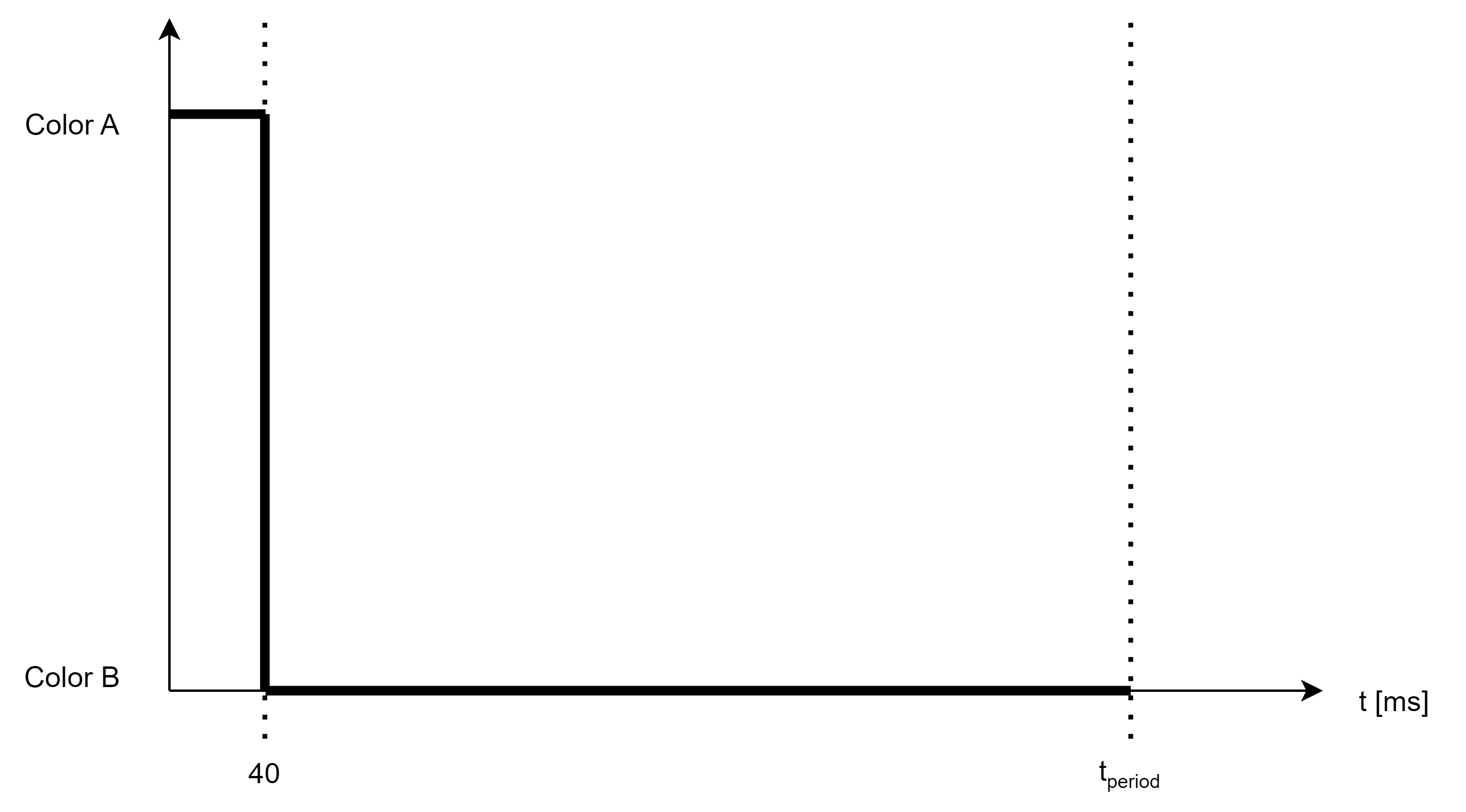
A single strobe signal is a blinking signal as well, but there is only a short impulse with Color A at the beginning of the blinking cycle, the rest of the cycle will have color B.
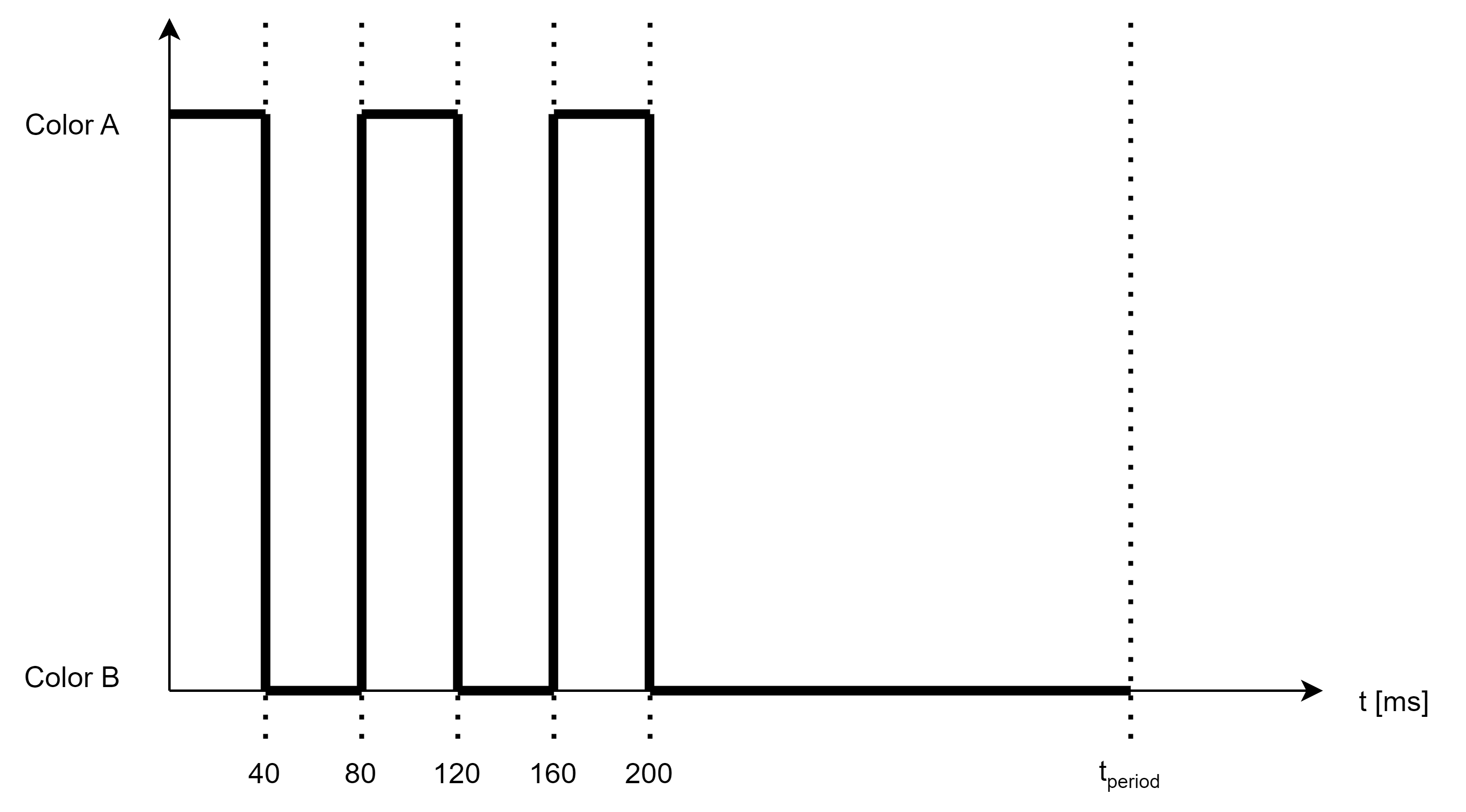
Double strobe
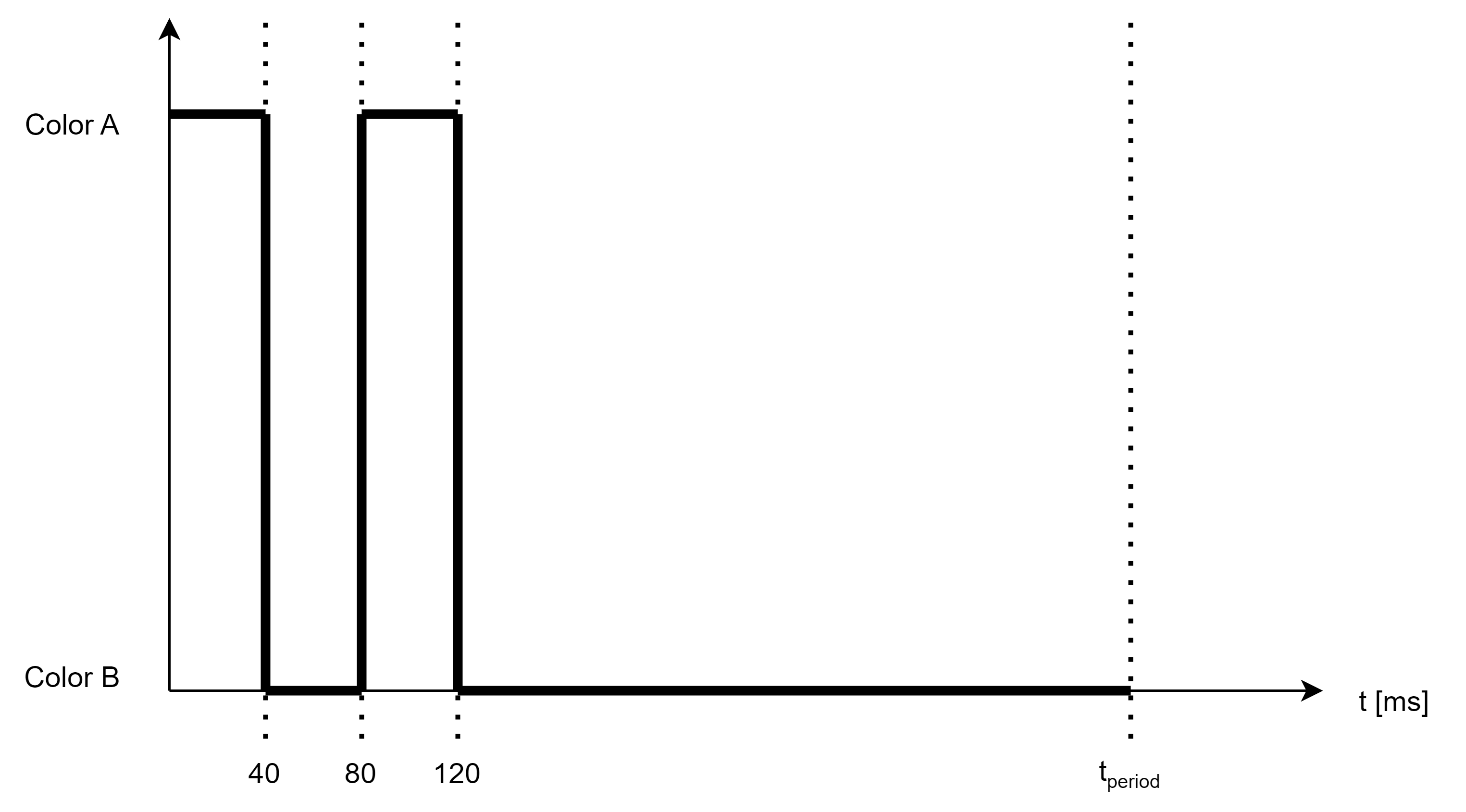
There are two 40 ms pulses with Color A, the rest of the period has Color B.
Triple strobe
There are three 40 ms pulses with Color A, the rest of the period has Color B.
Revolving
The revolving animation pattern looks the same as the run light indicator mode, but the effect will be displayed not on the whole SmartLight but only on one segment.
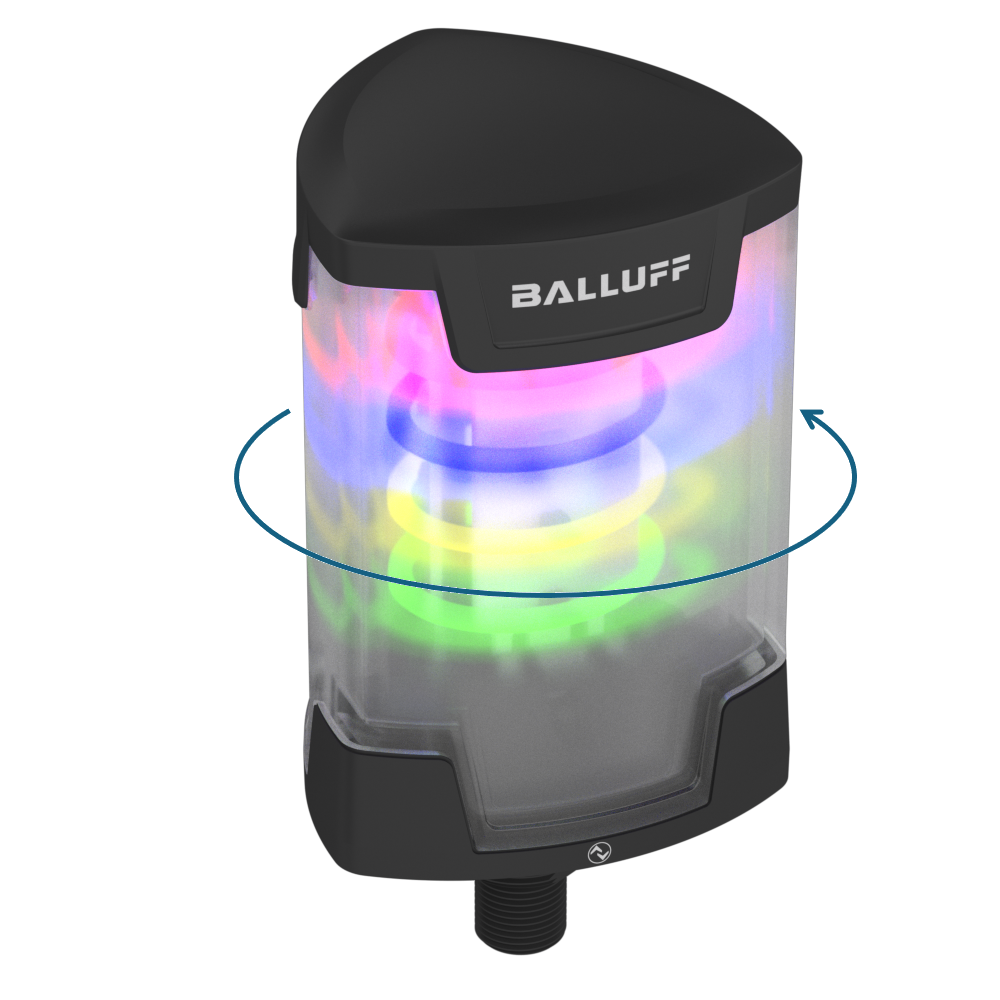
Rotating beacon
A rotating beacon is an animation pattern in which the SmartLight emulates a light rotating around a vertical axis.
Custom blink
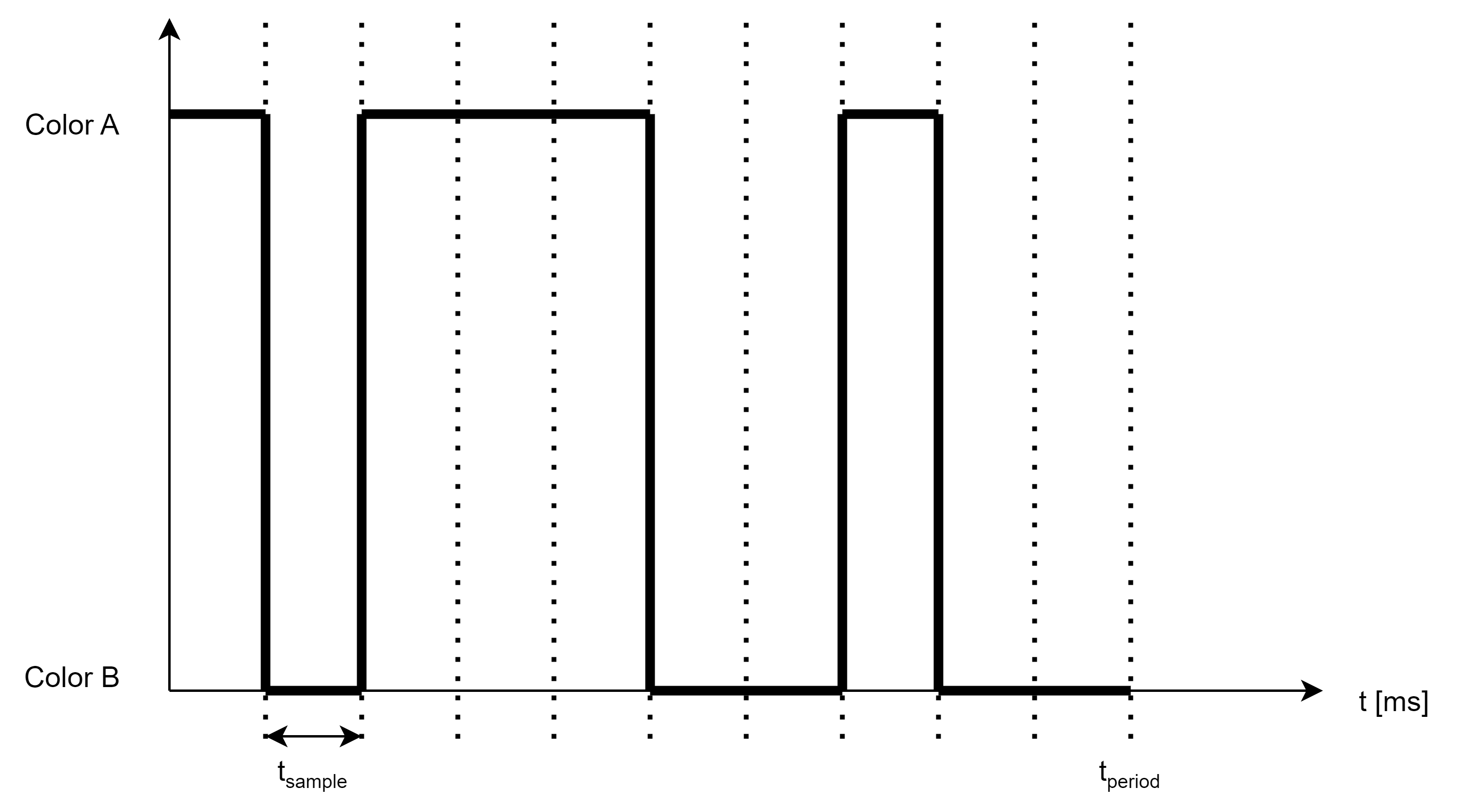
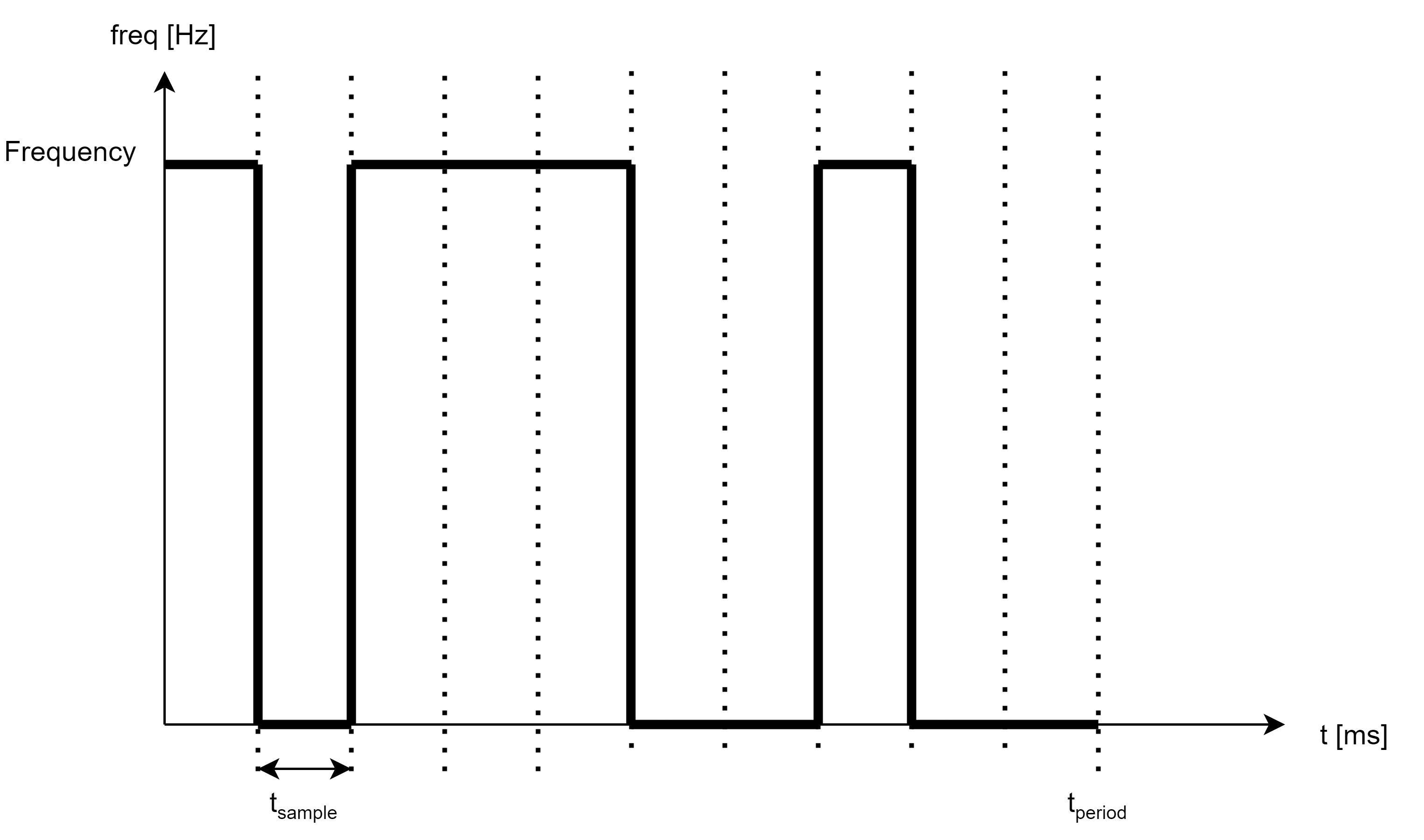
The SmartLight can have 3 different custom blink patterns, where the customer can configure the pattern from sample to sample.
Buzzer functionality
Product variants BNI IOL-81x-205-K037 have built in buzzer for acoustic signaling. Different sound patterns can be generated with configurable frequency and sound pressure level.
Buzzer sound patterns
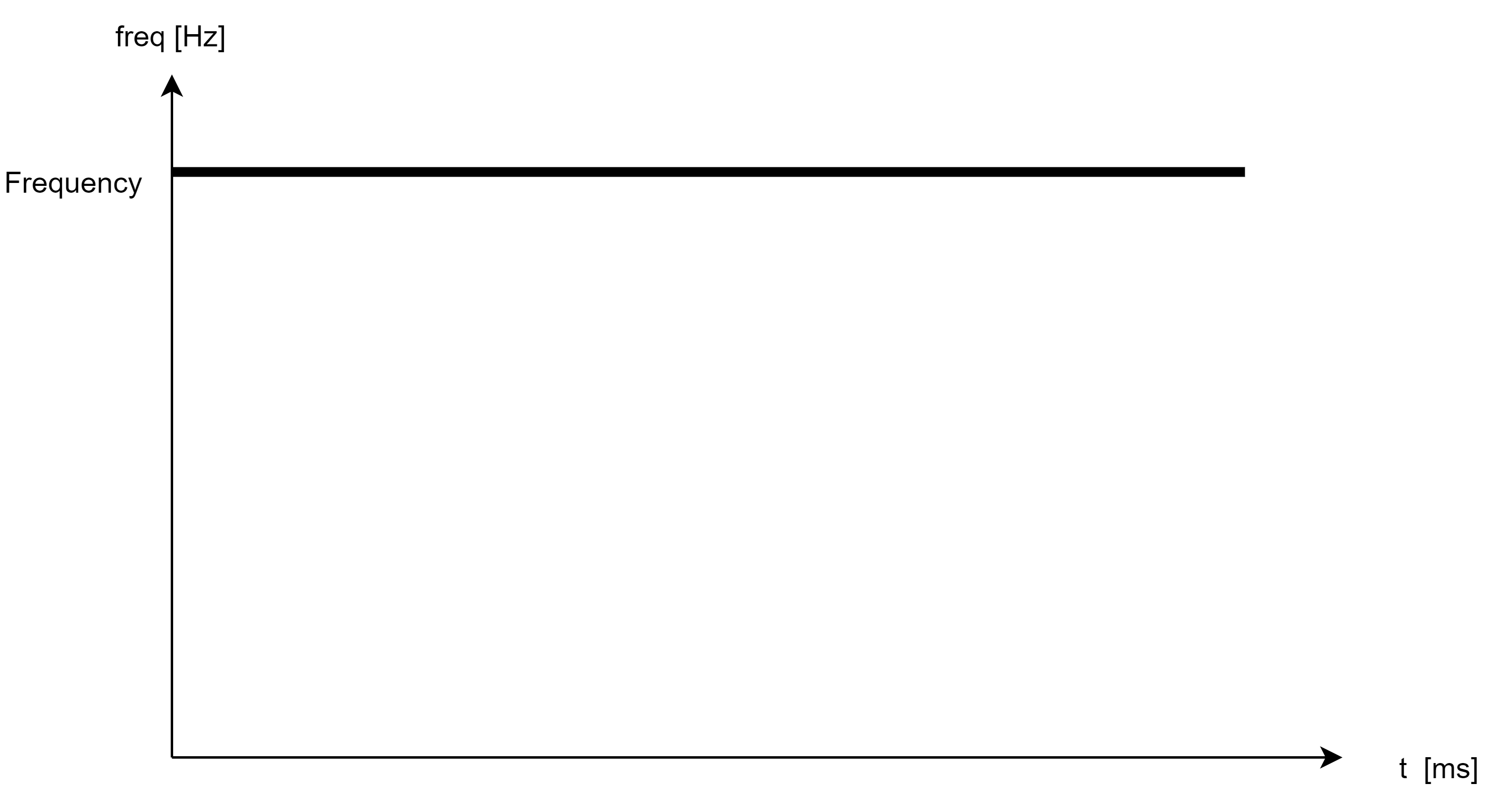
Constant tone
A tone with a defined frequency will be generated while the buzzer is switched on. The frequency of the tone is configurable.
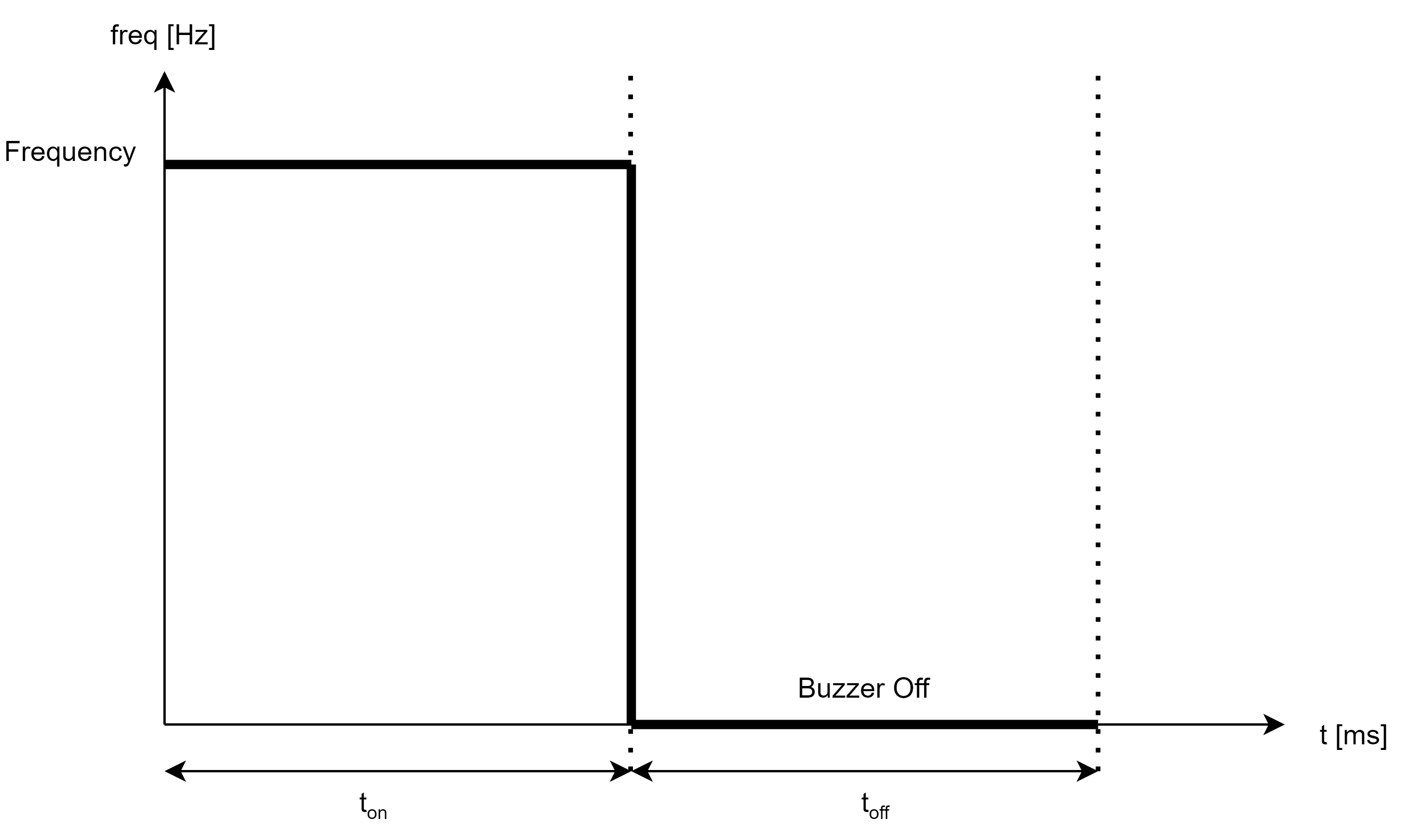
Pulse tone
The pulse tone is a periodic pattern. The buzzer will be switched on for a configurable time with a configurable frequency. After that the buzzer will be switched off for a configurable time.
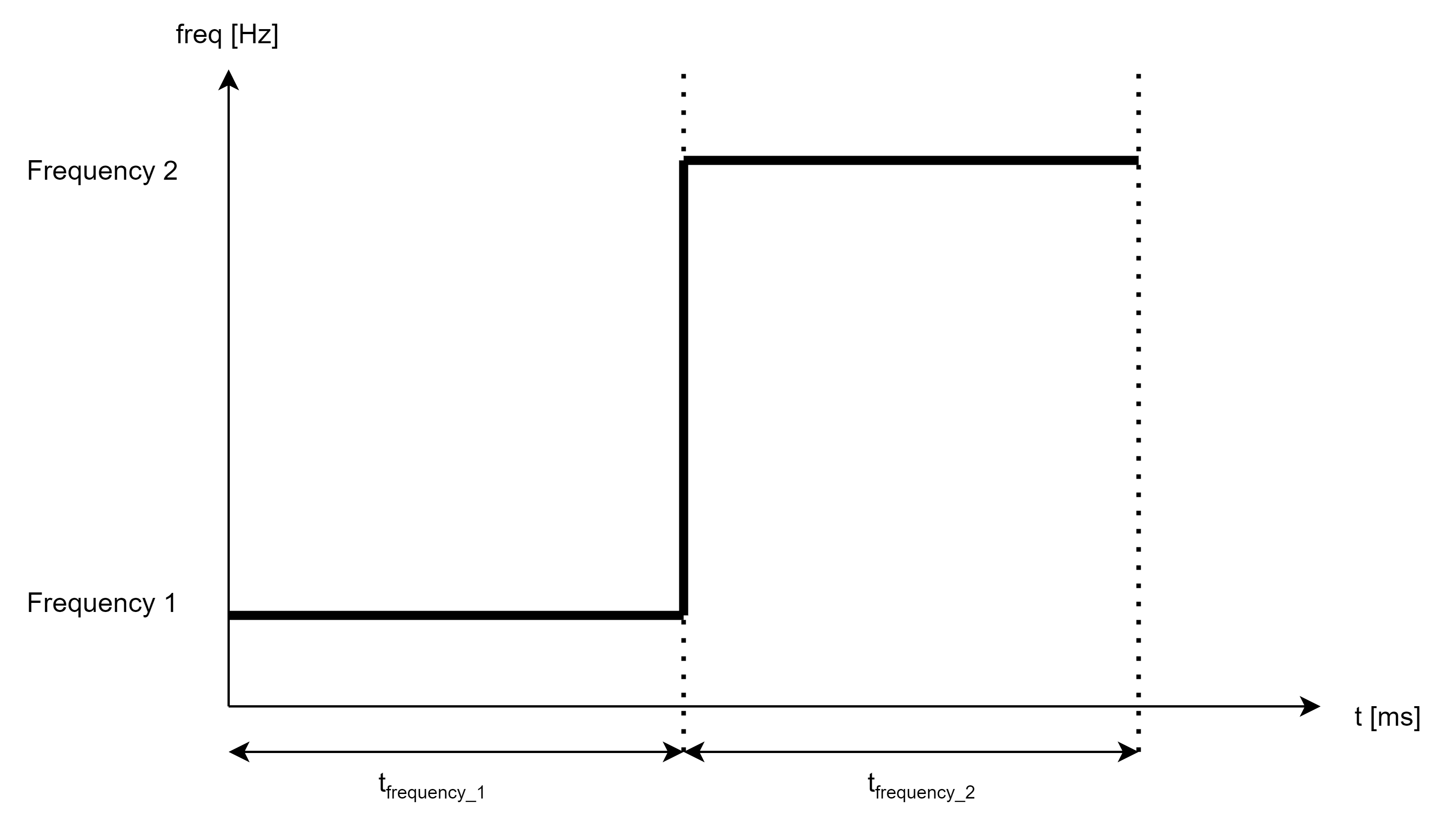
Alternating pulse tone
The alternating pulse tone is a periodic pattern as well, but the buzzer won’t be switched off in the second part of the cycle as in case of pulse pattern, but will have another configurable frequency.
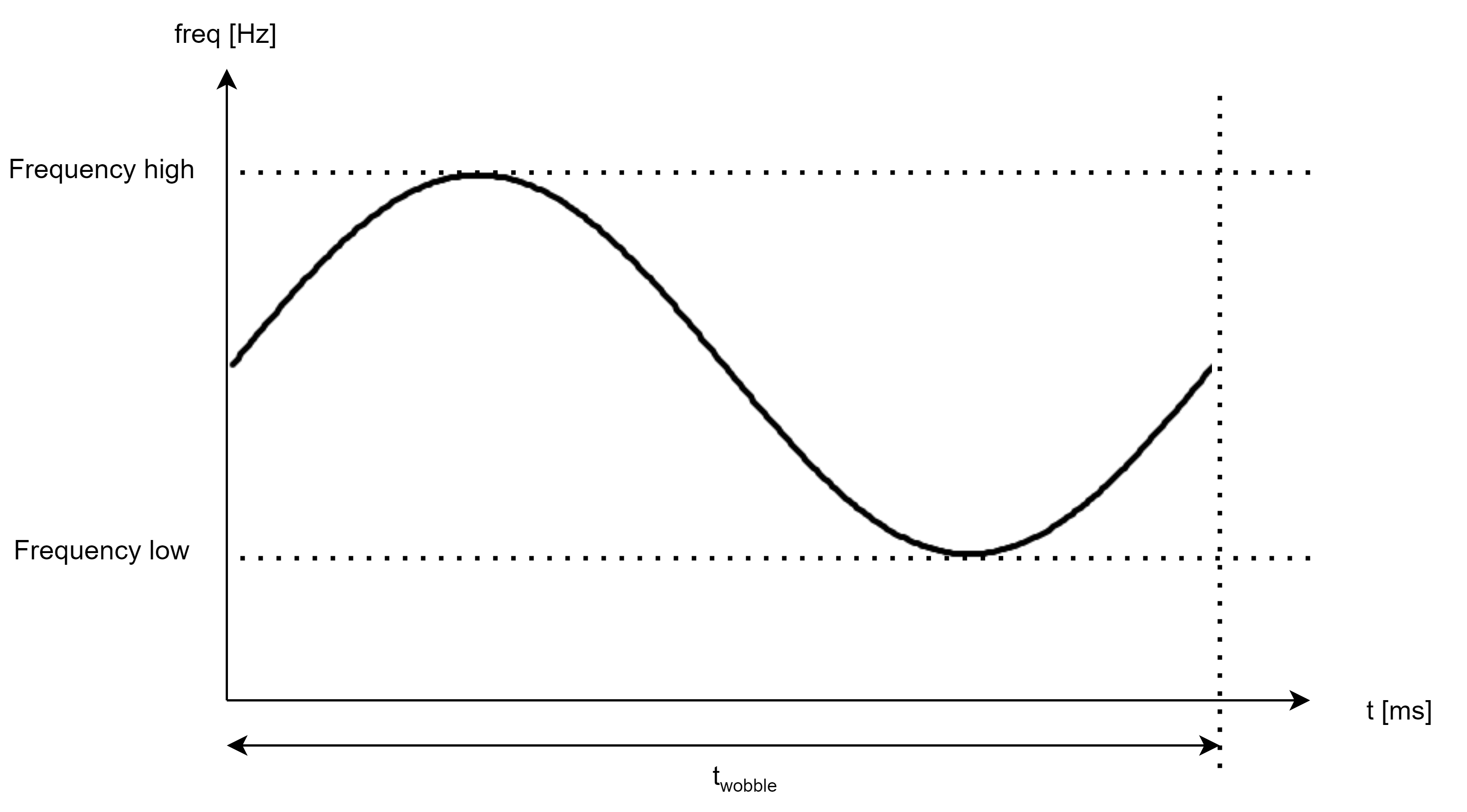
Wobble
The buzzer frequency will be modulated with a sine wave resulting a sound like a siren. The limit frequencies and the modulation frequency is configurable.
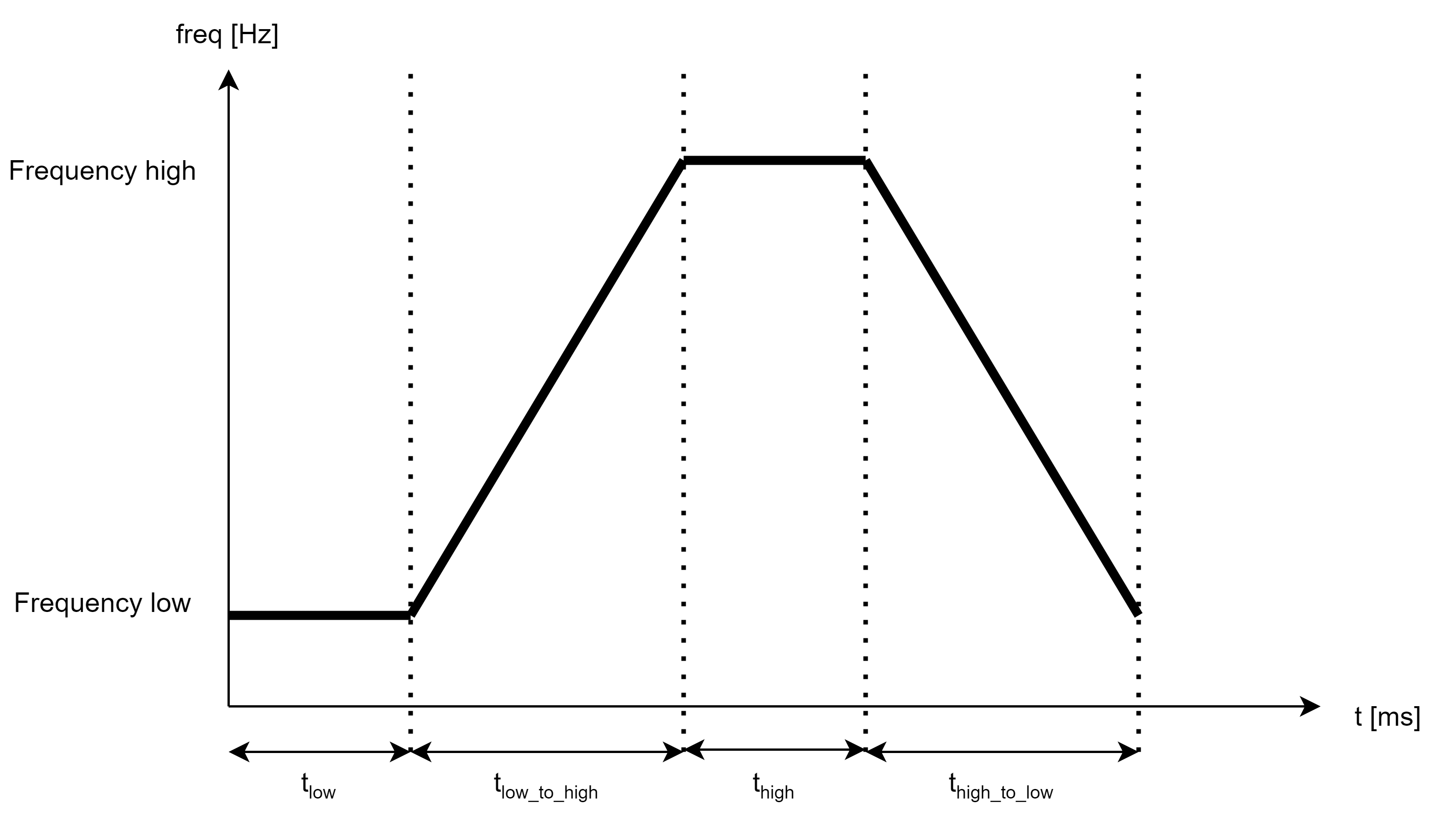
Sweep
The frequency of the sound will be swept between two frequency back and forth. The frequencies and the timings are configurable.
Custom Pattern
The custom sound pattern is a pulsed (intermittent) sound pattern in which the pulsing behavior can be configured.
Note
Currently, only the pattern can be modified. The tone itself remains set at a fixed frequency.
Strobe light functionality
An extra bright white color signal indicator is available for product variants BNI IOL-81x-205-K037. The strobe light functionality can signalize different light impulses, with configurable speed and brightness.
Animation |
Meaning |
Single Strobe |
Device performs a single flash in the configured dutycycle/animation speed |
Double Strobe |
Device performs a double flash in the configured dutycycle/animation speed |
Tripple Strobe |
Device performs a tripple flash in the configured dutycycle/animation speed |
Demo mode
The SmartLight will start in Demo mode after the first start-up at the customer. The rich functionality of the SmartLight will be displayed. The Demo mode will automatically disappear at the second power up, but it can be activated again over IO-Link.
Mode |
Meaning |
Standard |
Device Performs some of the available functions |
Lava |
To show the flexibility of the product and to enhance the mood in the living room, the SmartLight features a Demo Mode simulating a Lava Lamp. |
Synchronization
The functions (animations, strobe light and buzzer) of several Balluff SmartLights can be synchronized in synchronization mode. This functionality may be useful, in case more SmartLights are displaying the same dynamic effect (animation, strobe light, buzzer). Without synchronization, two SmartLight will signal such an effects at slightly different rates, causing uncoordinated visual or acoustic effect.
The synchronization is available only in IO-Link mode, and not available in SIO mode.
Note
For configuration information, see configuration guide at www.balluff.com on the product page.