Blob Firmware Update
Description
The BLOB Firmware Update feature offers the option of importing firmware updates for the IO-Link device itself. Version 1.1 of the BLOB FW update profile specified by the IO-Link consortium for all manufacturers is used for this purpose.
So-called IOLFW packages containing the necessary binaries and metadata are available via the Balluff Update Platform. These packages can be downloaded to the device using BLOB FW update-capable tools or controllers.
Info
Changes to the device firmware should only be carried out by trained specialist personnel and during specially designated maintenance periods. Before recommissioning, it must be ensured that the device parameters are correct and that the device is working properly.
Info
The device will signalize the update process by blinking in a specific pattern.
ISDU / System Commands
There are a number of defined ISDUs and system commands to control the feature, but these are not explained further here. Necessary sequences are stored in BLOB-FW update-capable tools and do not have to be used explicitly.
Password protection disabled
During the update, the tool will not request a password that must be entered.
Balluff Engineering Tool (BET)
We recommend using the Balluff Engineering Tool for the system. A very simple integration of the Balluff Update Platform and the update mechanisms is implemented there. Documentation for the update via BET can be found here
Condition Monitoring Toolkit (CMTK)
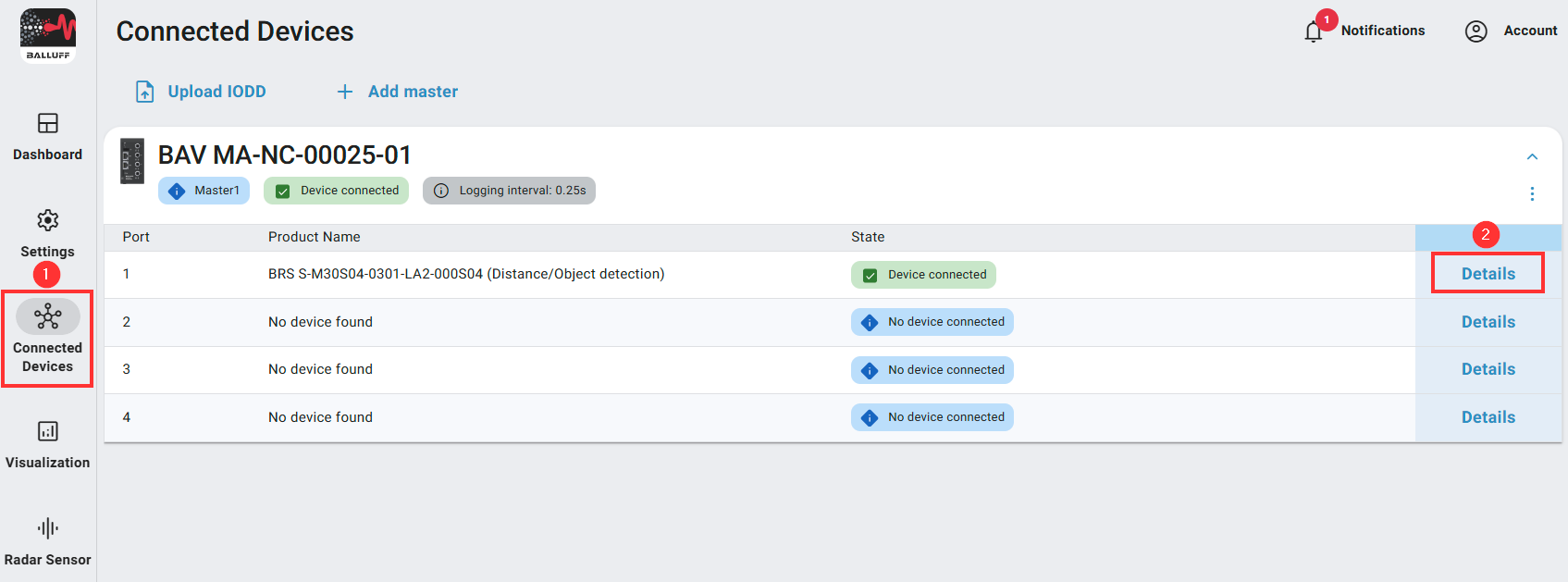
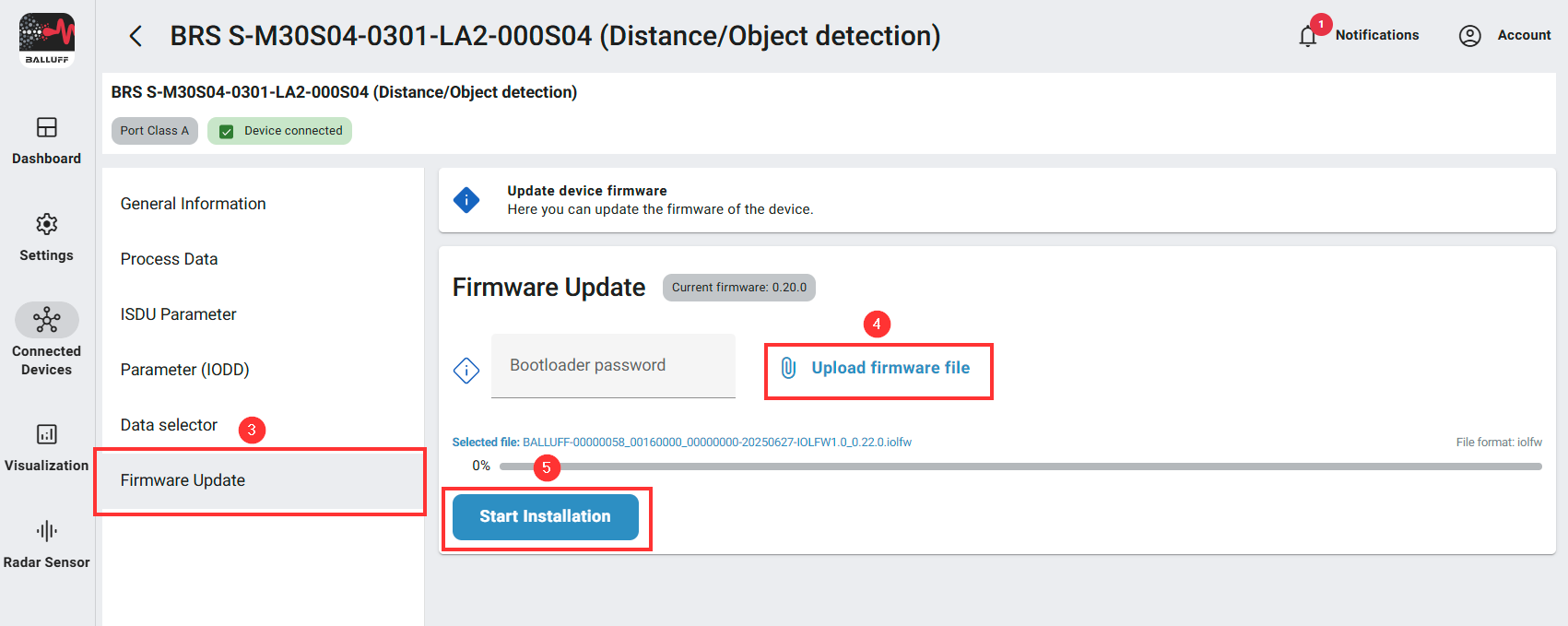
The update process can be started from the device details page.
Click on “Connected Devices” on the left hand side
Click on “Details” of the sensor you would like to update
Select “ Firmware Update”
Select and upload an .iolfw update file via the “Upload firmware file” button
After an successfull upload start the installation on the sensor by clicking the “Start installation” button
Info
If the update fails, please repeat step 5 or contact the Balluff support.